Everything you need, inside the record.
A complete file management layer built into Zoho CRM — from automated folder creation to external file collection, password-protected sharing, and mobile access.
Workdrive for Zoho CRM integrates with all standard and custom modules — Leads, Contacts, Deals, Accounts, and any custom module you have created. Folder creation rules and file management work the same way across all of them.
Three options let you define exactly how and where folders are created for each module.
Automatically create a nested subfolder structure when a new record is created — files stay organised from day one.
Place a Contact or Deal folder inside its related Account folder automatically, using CRM lookup fields.
Use CRM merge fields like #Account_Name to name folders dynamically on creation for consistent, automatic naming.
A widget in the CRM related list gives users direct access to WorkDrive folders — no tab-switching needed.
Automated folder creation — Set up Zoho CRM workflows to create or edit WorkDrive folders when specific conditions are met. No manual steps required once the workflow is configured.
Mobile compatibility — Full support via the Zoho CRM mobile app. View folders, access files, and upload documents from any device.
Dynamic Authorization
Admins can now select exactly which users in the organisation are allowed to use the extension. This gives precise control over data access without disabling the extension org-wide.
Collect File
Generate upload links directly from a CRM record and let clients, partners, or external users upload files into your WorkDrive — no account required on their end.
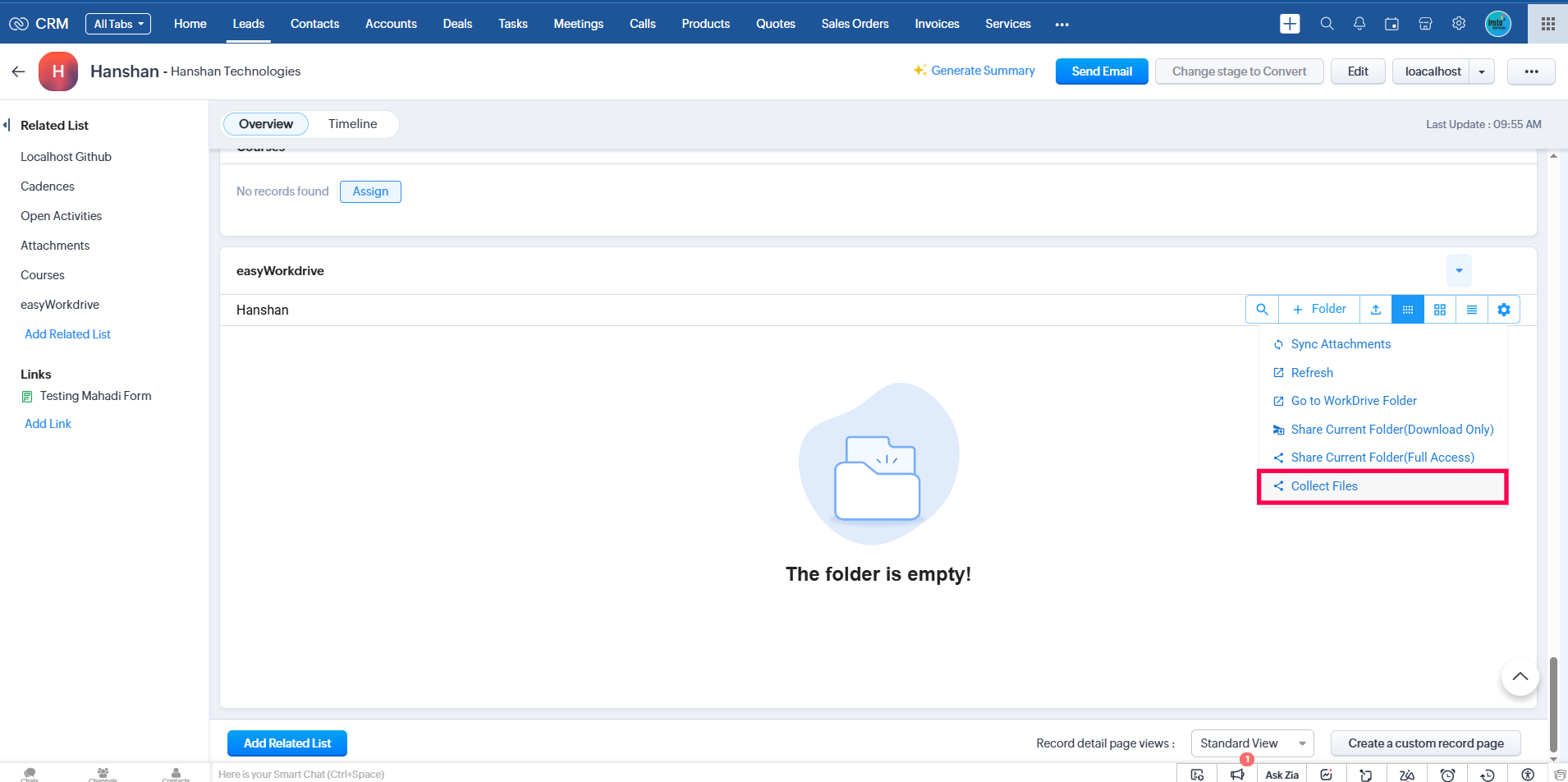
Share the link with any client or partner. They upload directly into WorkDrive — no account required on their end.
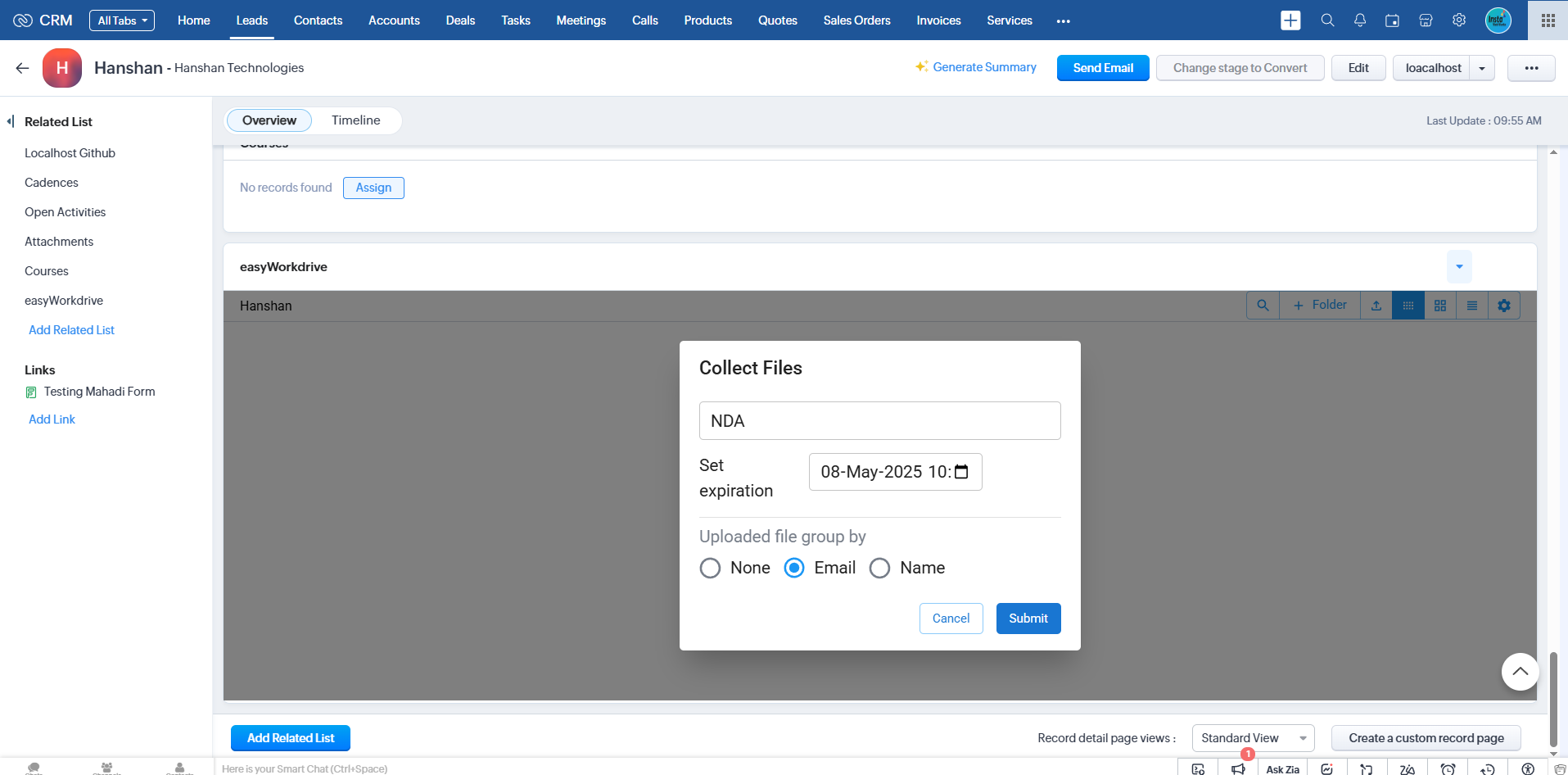
Add an optional expiration date. Once it passes, the link stops accepting uploads automatically.
Uploaded files can be grouped by submitter name or email for easy triage, or left ungrouped in the root folder.
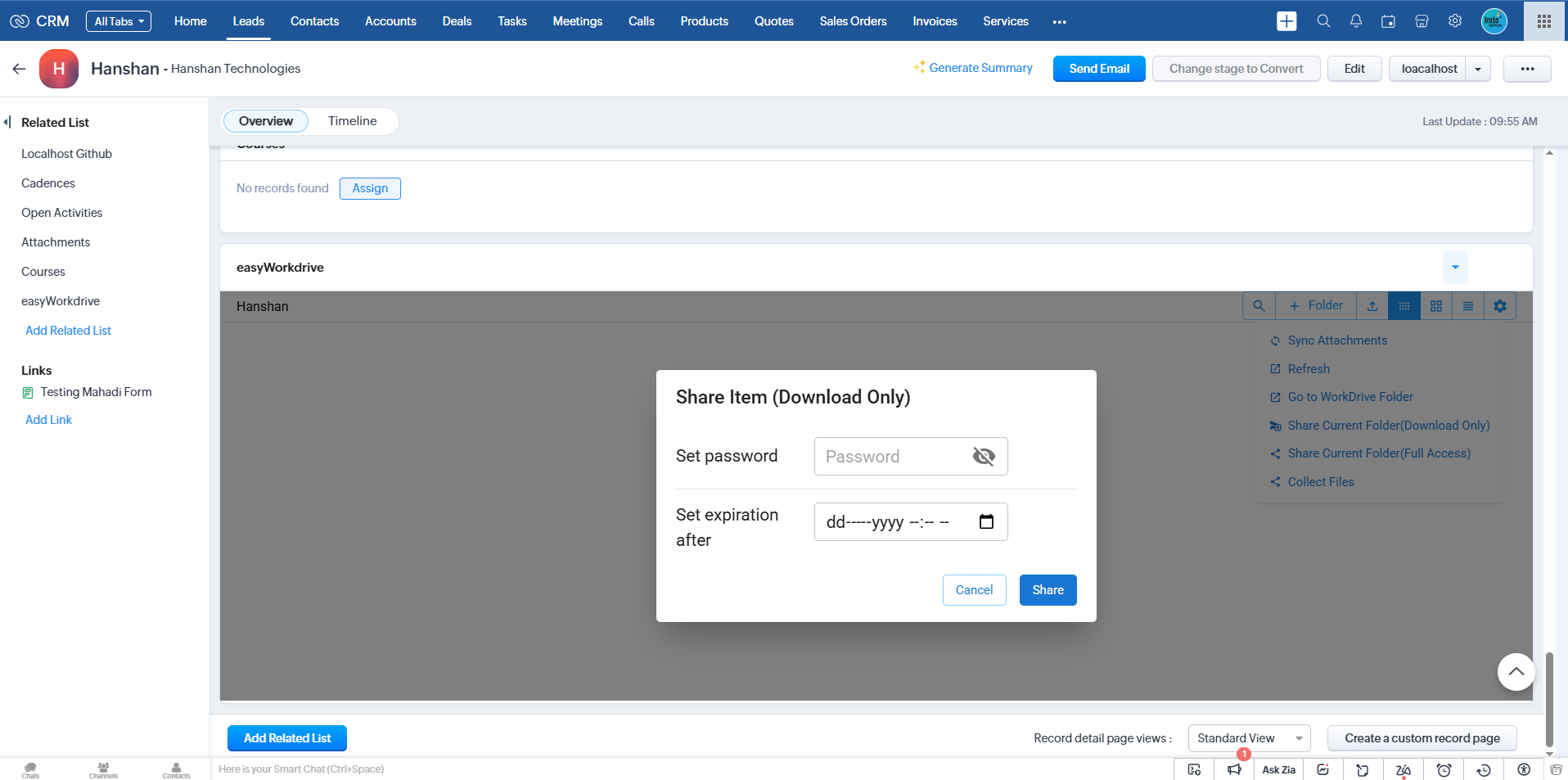
Password-protected share links
Set a password on any share link generated from the widget, with an optional expiration date. This adds a security layer when sharing files with external recipients.
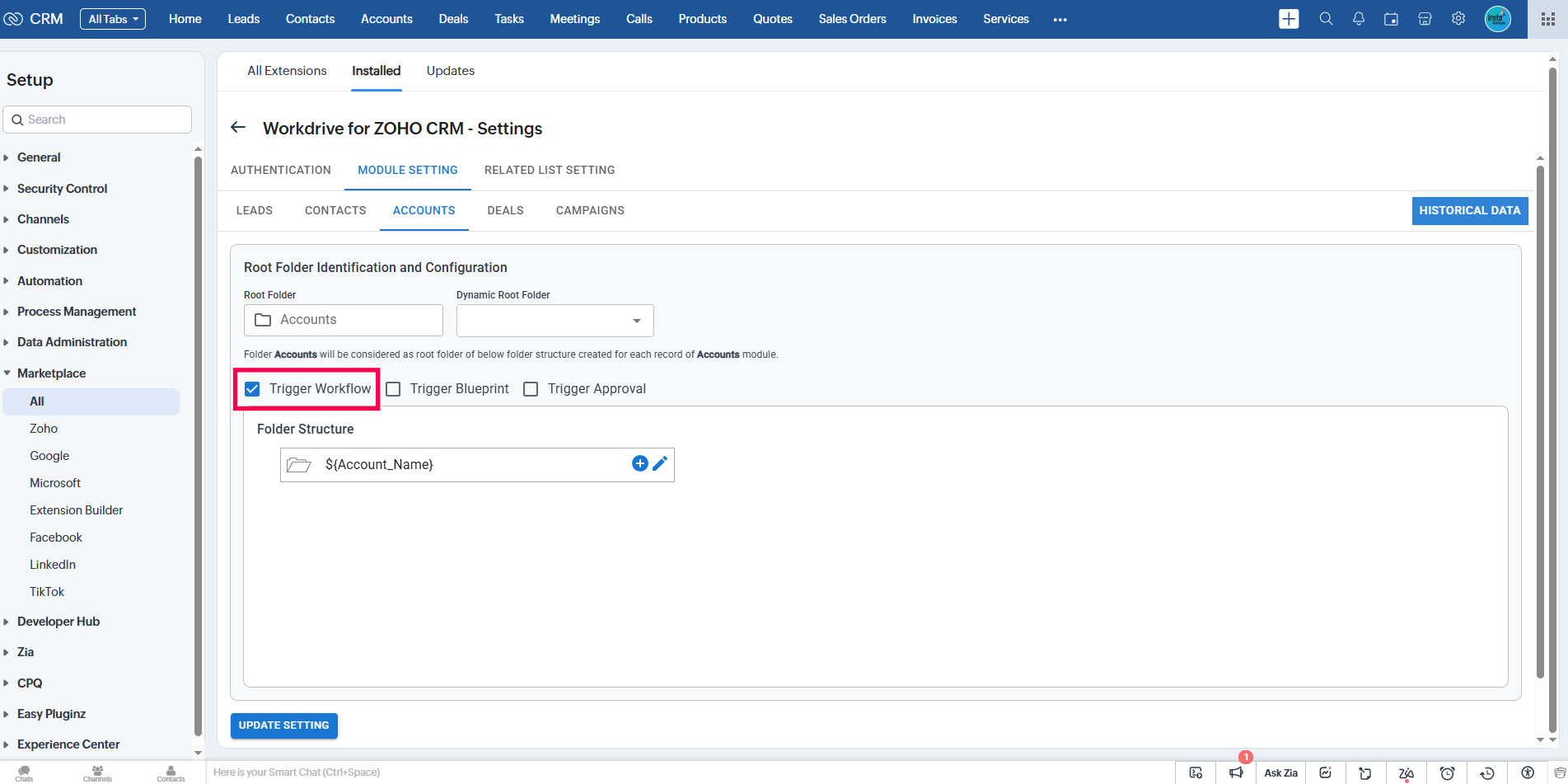
Trigger workflow on folder update
Enable a per-module option to fire all associated workflows, blueprints, or approvals when the folder structure fields are updated on a record after creation.
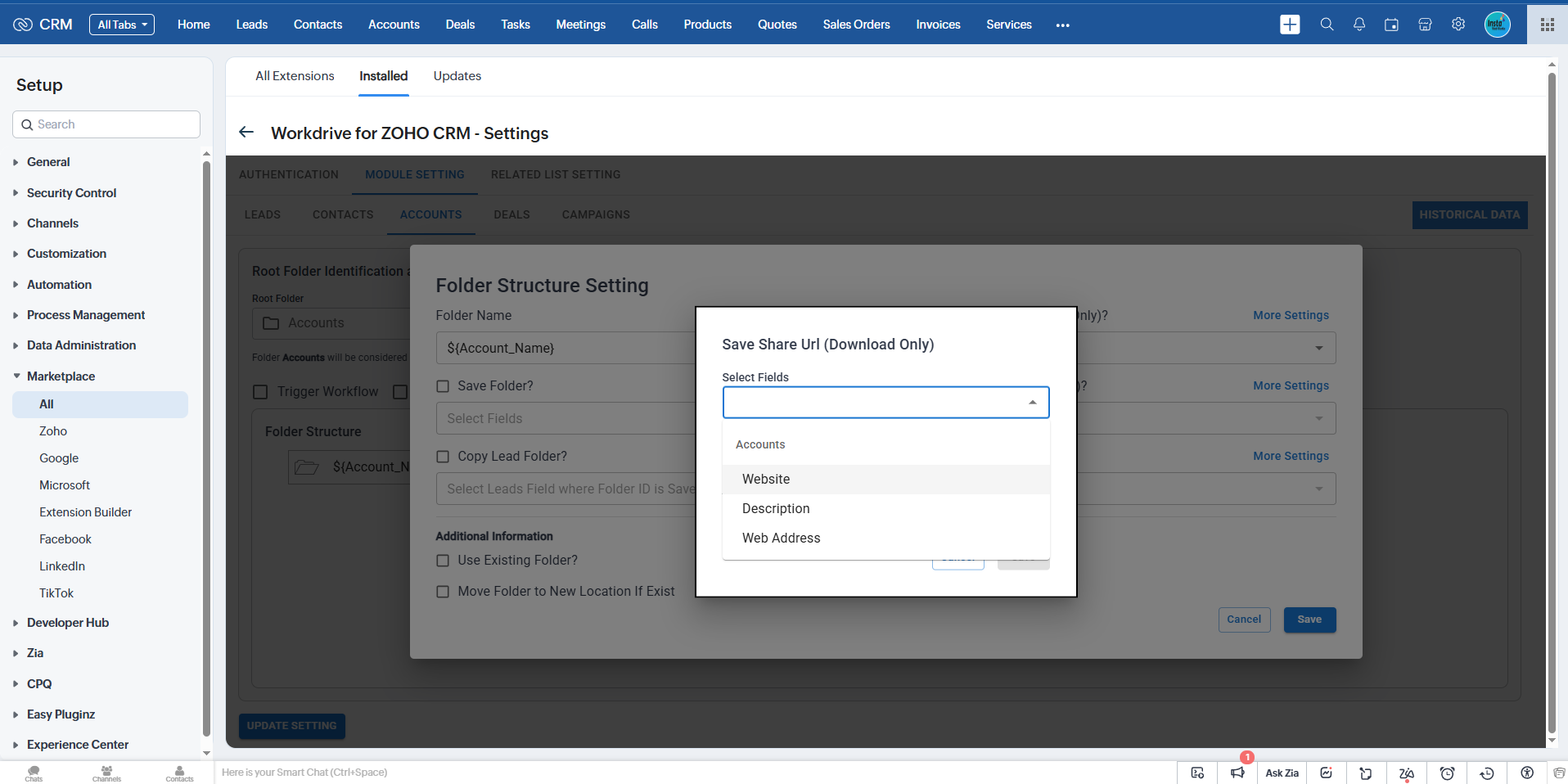
Save password for share URL
Configure and save a default password for share URLs generated on record creation. Bind the password to any module field for dynamic, per-record passwords.
When Collect File is configured from the settings page, uploaded files go directly into the specified root folder and are not grouped by submitter name or email. Grouping only applies when the link is generated from within a record.
Continue to Installation to get the extension running, or jump to Standard Team Folders & Workflow to understand the default folder creation flow.