Folder creation, file uploads, sharing, sync, and collect file tools - everything your team needs to manage WorkDrive files without leaving a CRM record.
Insta Web Works
v61·5 min
The Related List Widget is pre-installed by the extension for five modules: Leads, Contacts, Accounts, Deals, and Campaigns. Once installed, you can find easyWorkDrive in the related list of any record within these modules.
Key features
The Related List Widget provides a real-time display of your WorkDrive folder with several convenient features:
01Folder Management
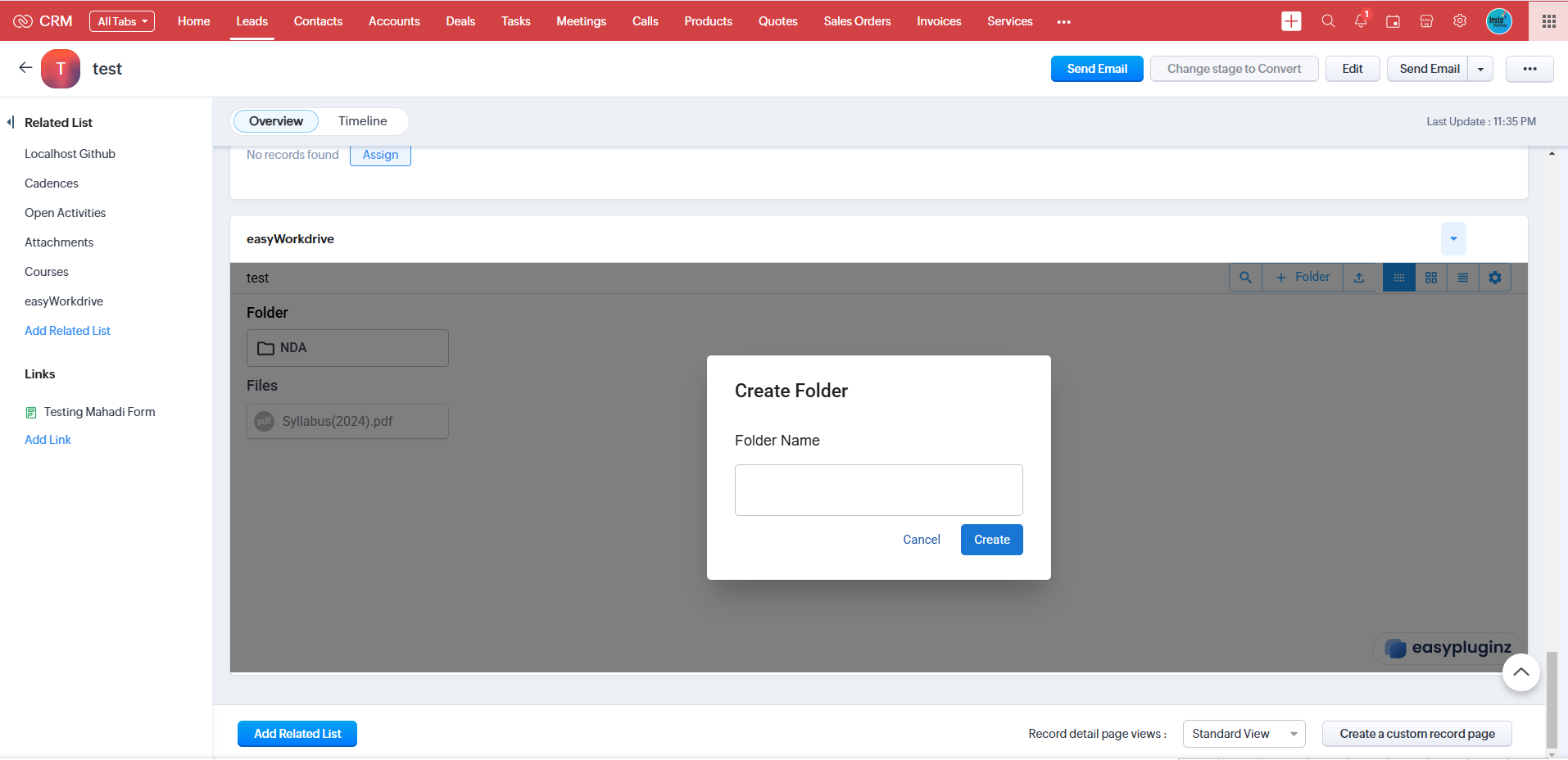
Create folders directly from the widget.
Rename, copy, move, or delete folders.
02File Management
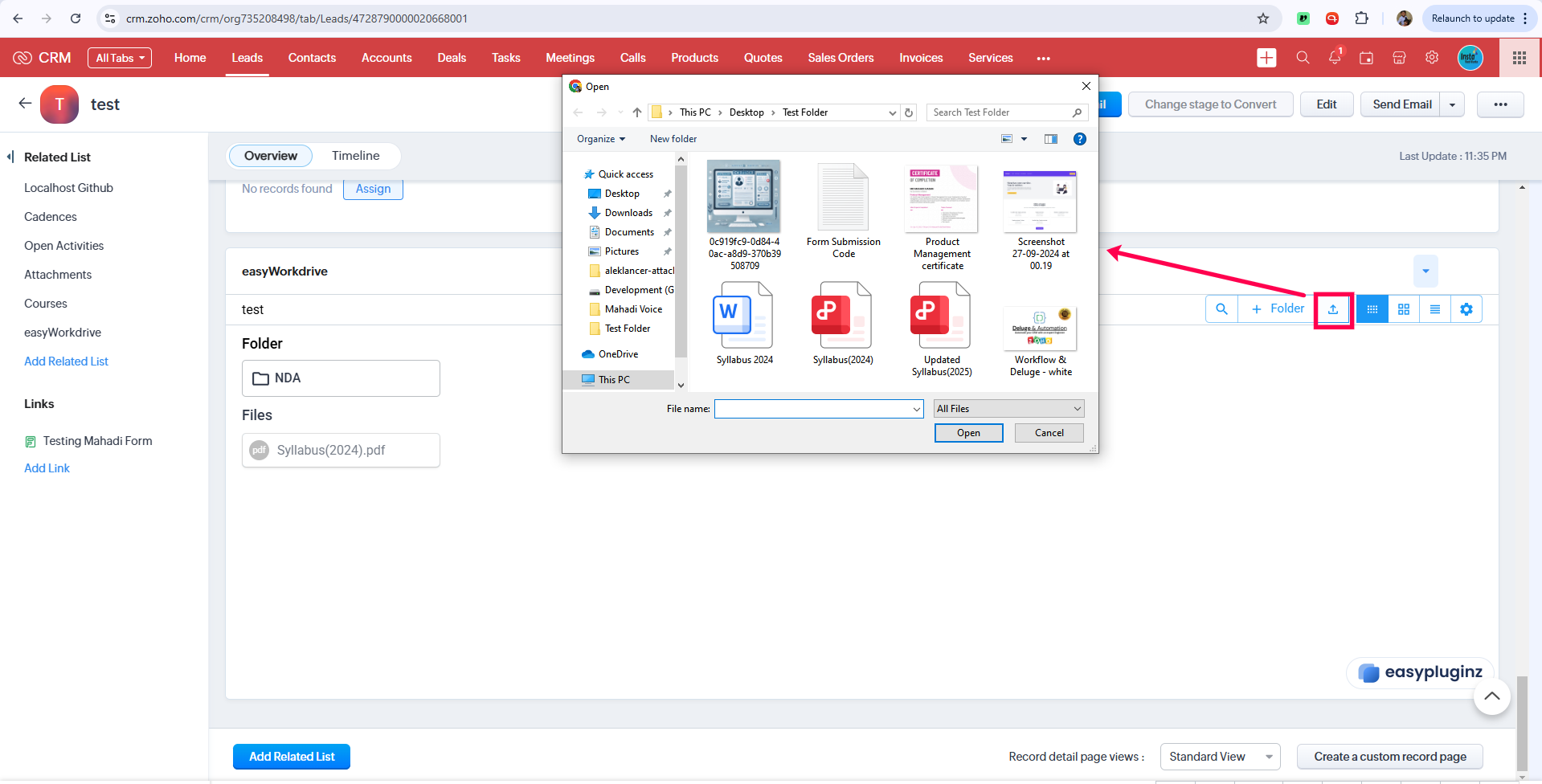
Upload files directly from the widget.
Copy or move files and folders between locations.
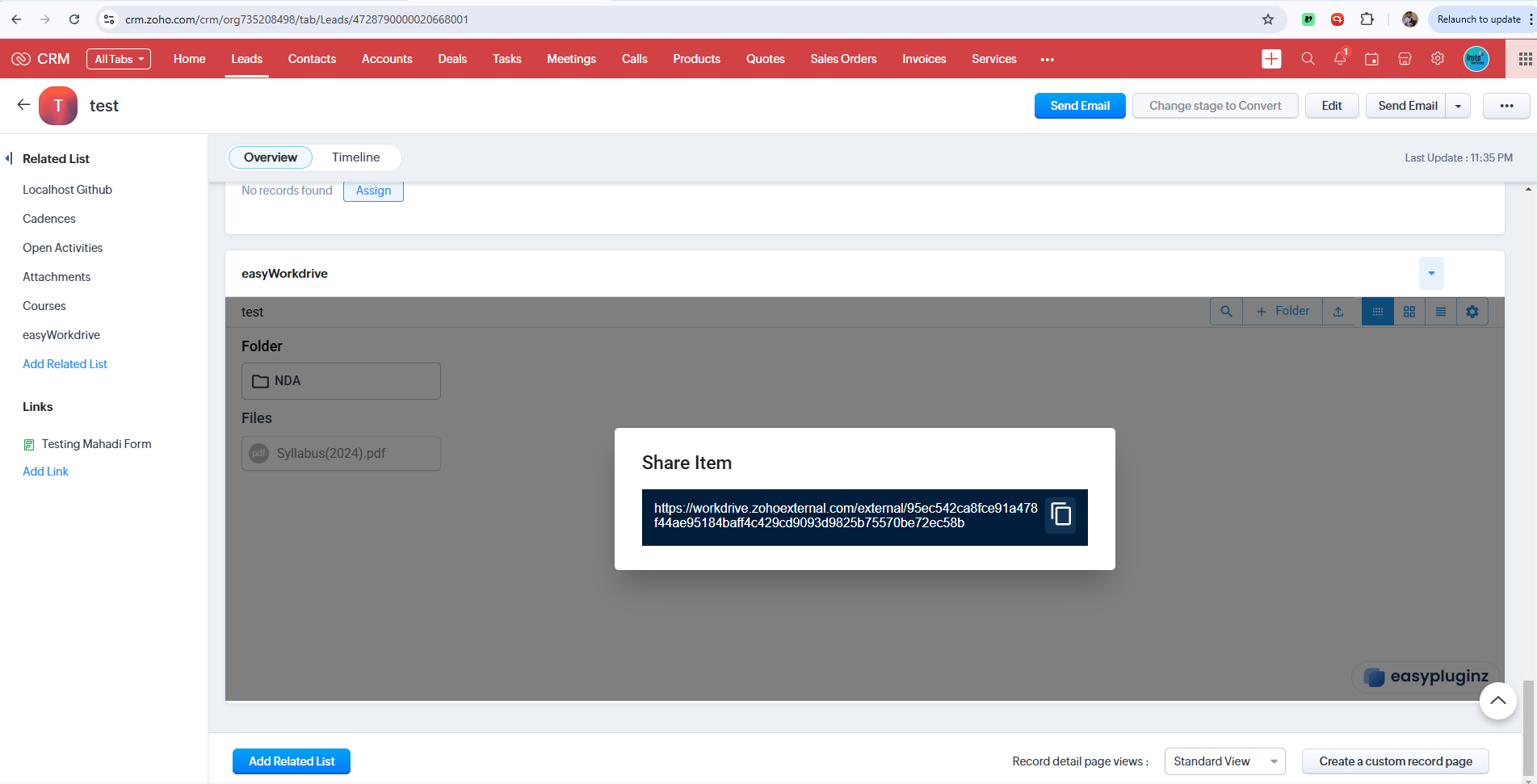
03Sharing Options
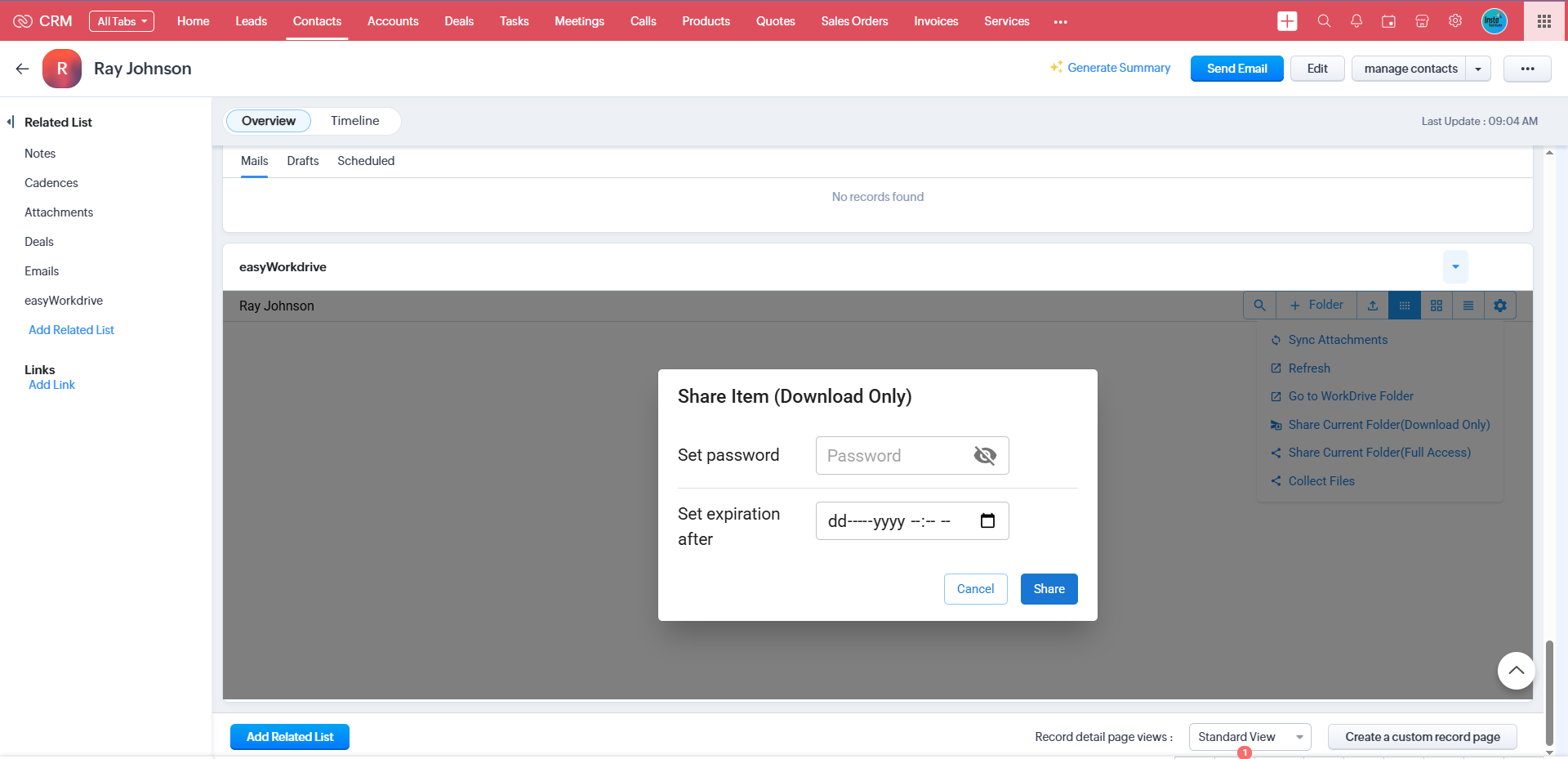
Add password protection to shared links with an optional expiration date.
Generate shareable URLs with two access levels:
Download-Only Access
Allows users to download files but restricts file uploads.
Full Access
Enables users to create folders, upload files, and manage content.
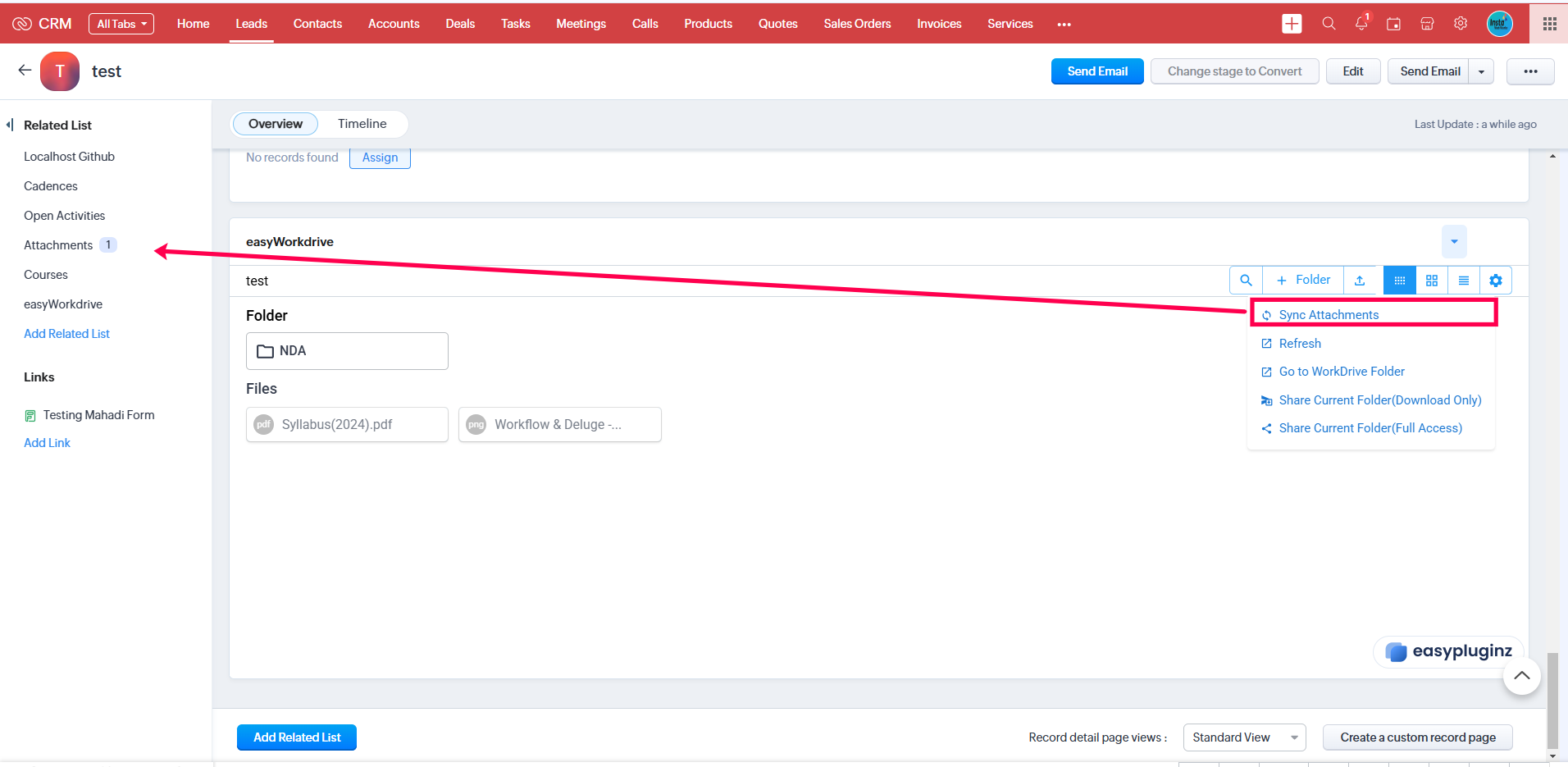
04Sync Attachments
Sync record attachments to a selected folder in WorkDrive with a single click.
05Refresh Functionality
If you encounter any issues, use the Refresh button to update and display the latest folder version.
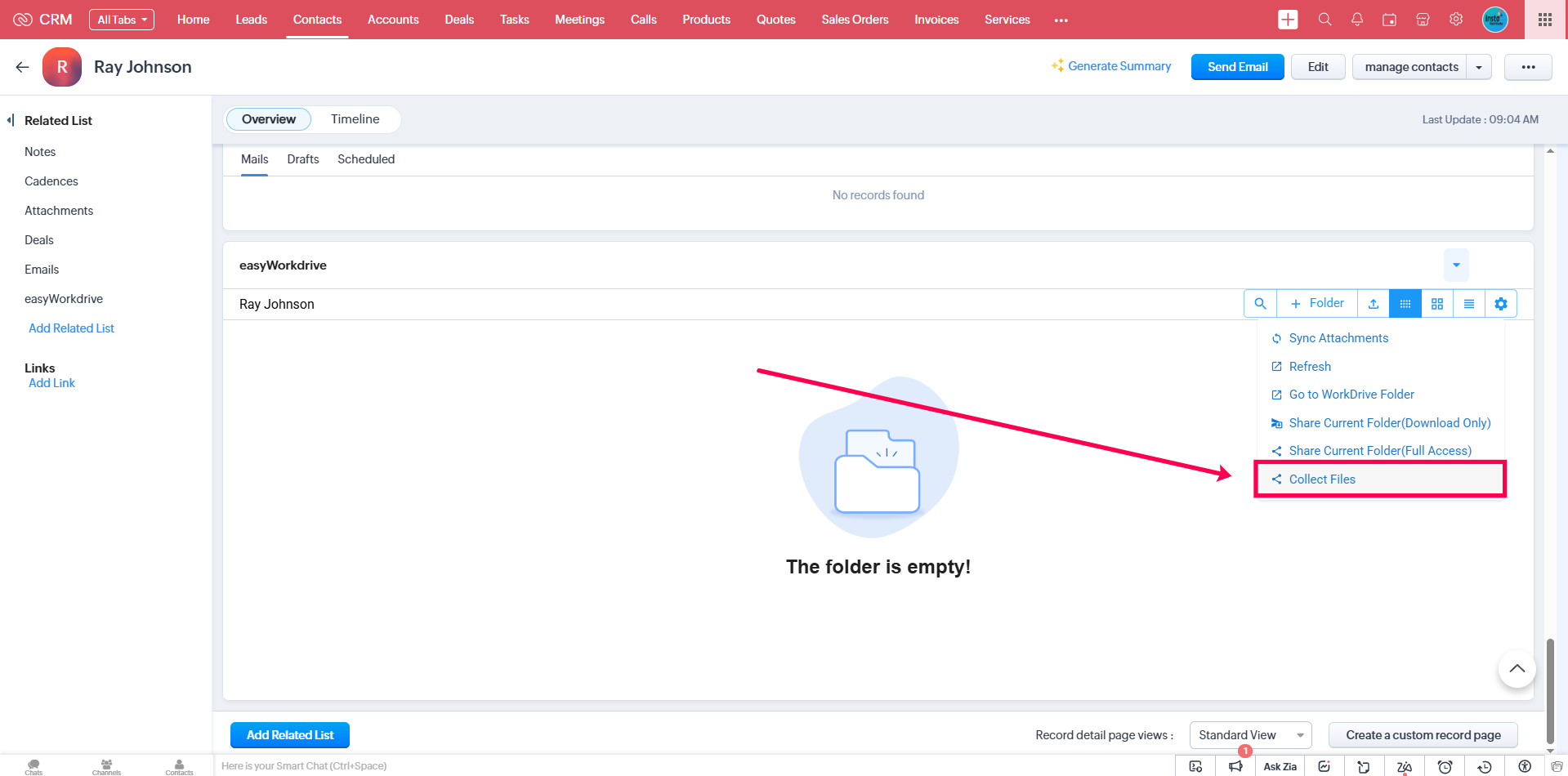
06Collect File Feature
External File Collection
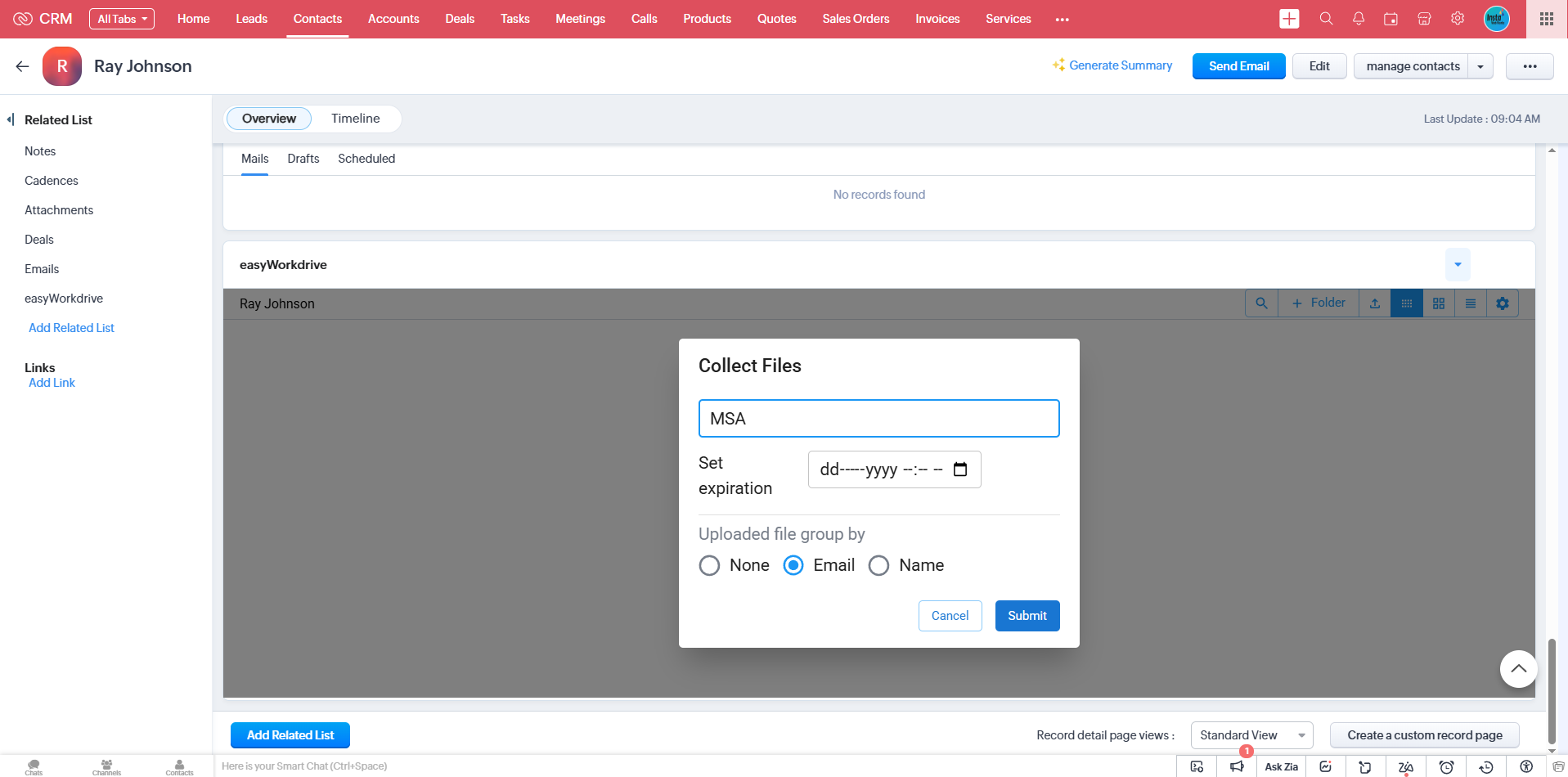
Generate upload links directly from Zoho CRM that allow clients, partners, or external users to upload files into your WorkDrive.
Expiration Date
Add an optional expiration date to any upload link.
Group By
Uploaded files can be grouped by name or email.
Copy and move files
Copy a folder or file:
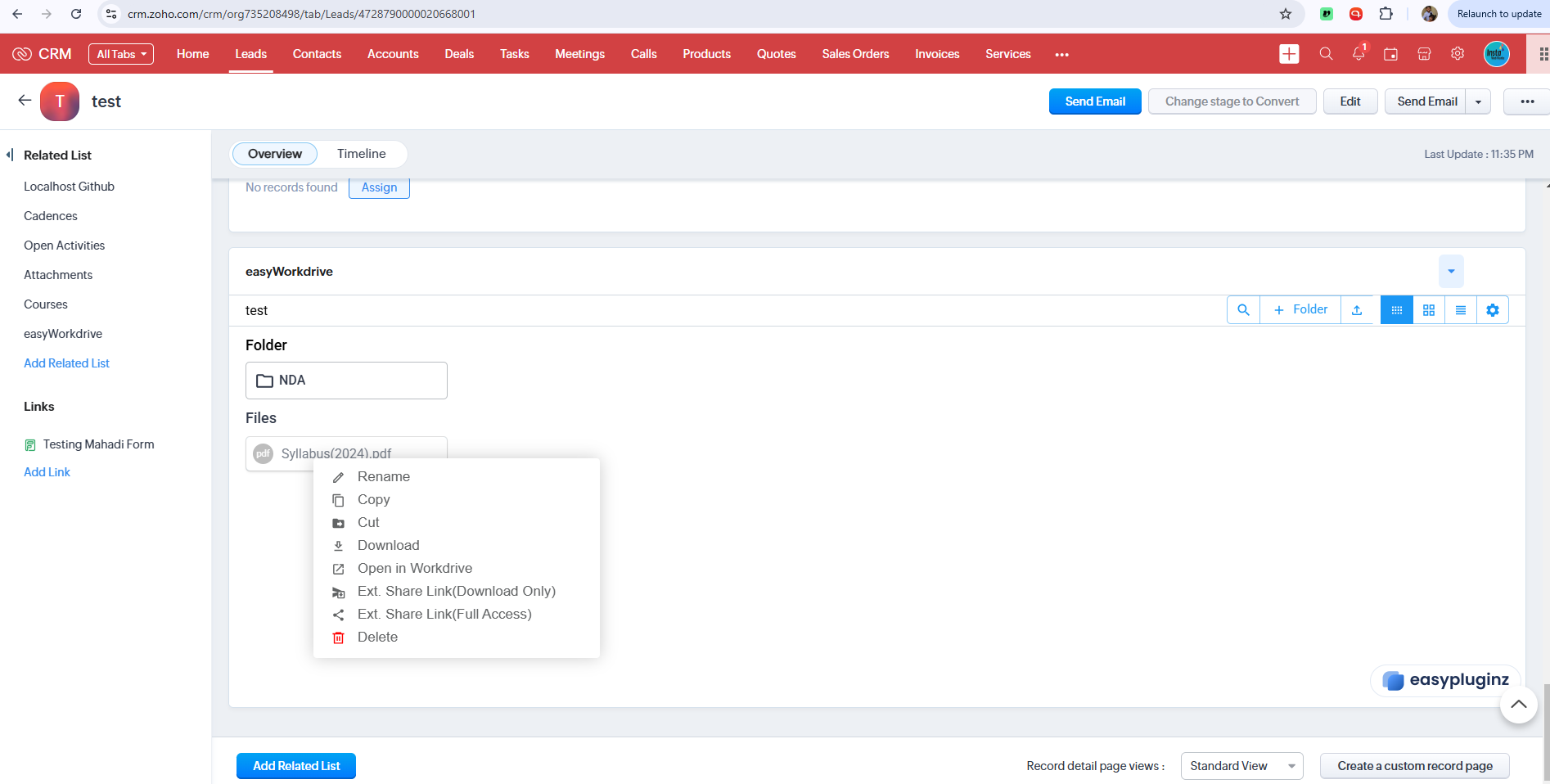
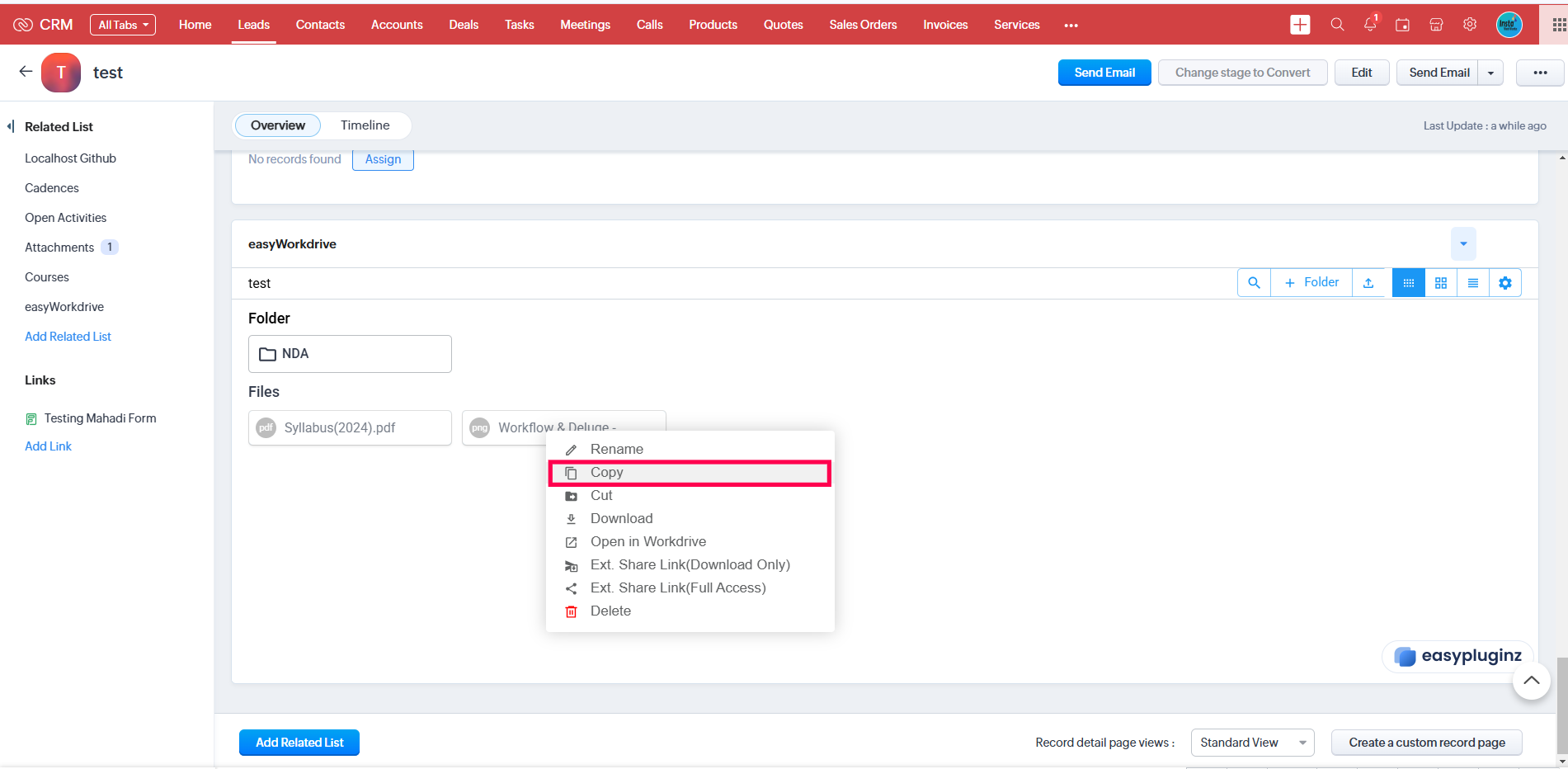
Right-click the folder or file you want to copy.
Select Copy from the context menu.
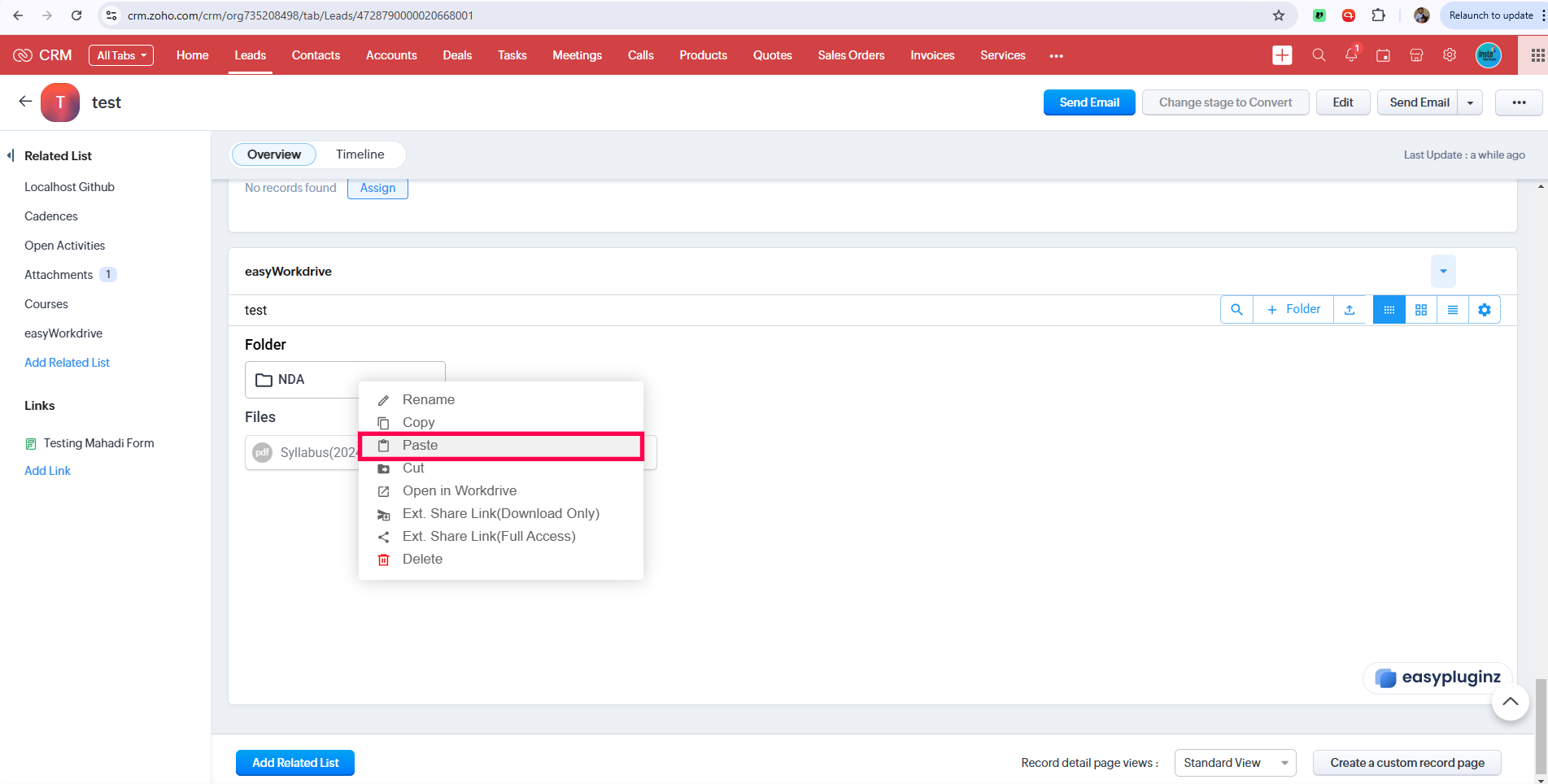
Navigate to the destination folder.
Right-click again and select Paste to complete the action.
Move a folder or file:
Right-click the folder or file and select Cut.
Navigate to the destination folder.
Right-click and select Paste to move the item.
Sharing and syncing
Sharing
Share the root folder or individual files with either Download-Only Access or Full Access.
Syncing
Use the Sync Attachments option to download record attachments directly to your selected folder.
By streamlining file and folder management within the CRM, the Related List Widget keeps WorkDrive actions close to the record. If something looks out of date, refresh the widget or contact support.